Sign in to the R508 manager to check readiness and the active application. To record, open DAQ Web on the receiving server or use the desktop application if included in your delivery. Open the SAM instrument page to use its spectrum and DAC controls.
¶ Identify the three pages
Before updating a working device, find the entry and steps for its installed release in managed online update. Finish the DAQ task before an update or an app switch.
| Page | Address belongs to | Purpose | First check |
|---|---|---|---|
| ULMUS manager | Device, http://DEVICE_IP:8080/ |
Sign-in, App install/switch, settings, clients, RPC console | Device identity, active App and ready |
| DAQ Web | Receiving-server address on the delivery sheet | Set up tasks, start or stop recording, review files | Device online, application matches, recording directory writable |
| SAM instrument | Device, http://DEVICE_IP:8080/sam/ |
Spectrum, Trace, Marker, waterfall and DAC | SAM active and ready in ULMUS |
Screenshots show the controls with example states and traces. Use your device's address and check your own connection and task status. Select an image to enlarge it. English instructions identify the pictured controls.
¶ ULMUS sign-in and App switching
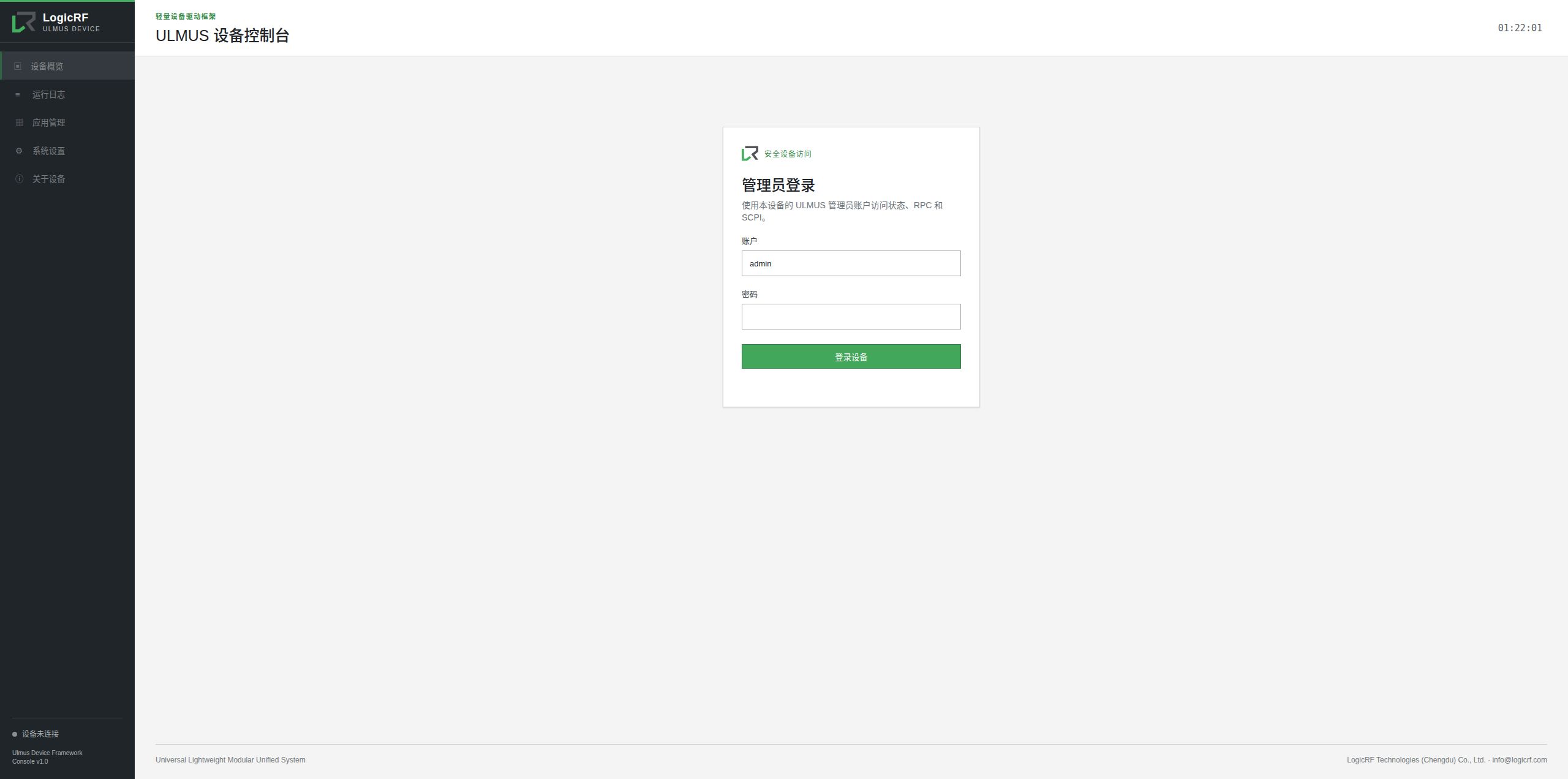
- Open
http://DEVICE_IP:8080/in a browser, replacingDEVICE_IPwith the device's management address. On a new device, sign in aslogicrfwith the delivered initial password. Set a new password when prompted, then sign in again aslogicrfwith that password. - In Overview, confirm device identity, the active app and readiness. The standard acquisition app is STREAM.
- To change applications, stop the active task and outputs first. In Application Management, select the desired application and wait for the switch to finish. An installed matching package can be selected directly.
- Check that the selected application is ready in Device Overview, then select the same application on the receiving server.
See ULMUS illustrated operation for settings, clients, framework upgrades and RPC. Framework and App updates are separate transactions.
¶ Record once in STREAM with DAQ
- Open the receiving server's DAQ Web from the management computer. Sign in with the DAQ credentials in your delivery. Use Service Overview or the method view to verify the device, STREAM readiness and an idle service.
- Copy the 8 MHz request from the first recording walkthrough, submit it in the recording view, and wait for the single 128 MiB segment to commit.
- Open File Management, expand the task you just ran, and check
task.json, segment size and valid length. Use the first-recording checks if a step fails.
¶ Open SAM spectrum and DAC controls
- Stop the previous DAQ task, switch ULMUS to SAM and wait for ready, then open /sam/.
- Select spectrum channel, center, FFT and decimation; configure/start, check state, then inspect spectrum/Trace/Marker.
- Waterfall/Trace are display functions, not continuous IQ storage. Record center, decimation and FFT with measurements.
- DAC output is independent. Begin disabled at gain0, verify connections/power budget, then enable deliberately. Finish with DAC OFF and spectrum STOP.
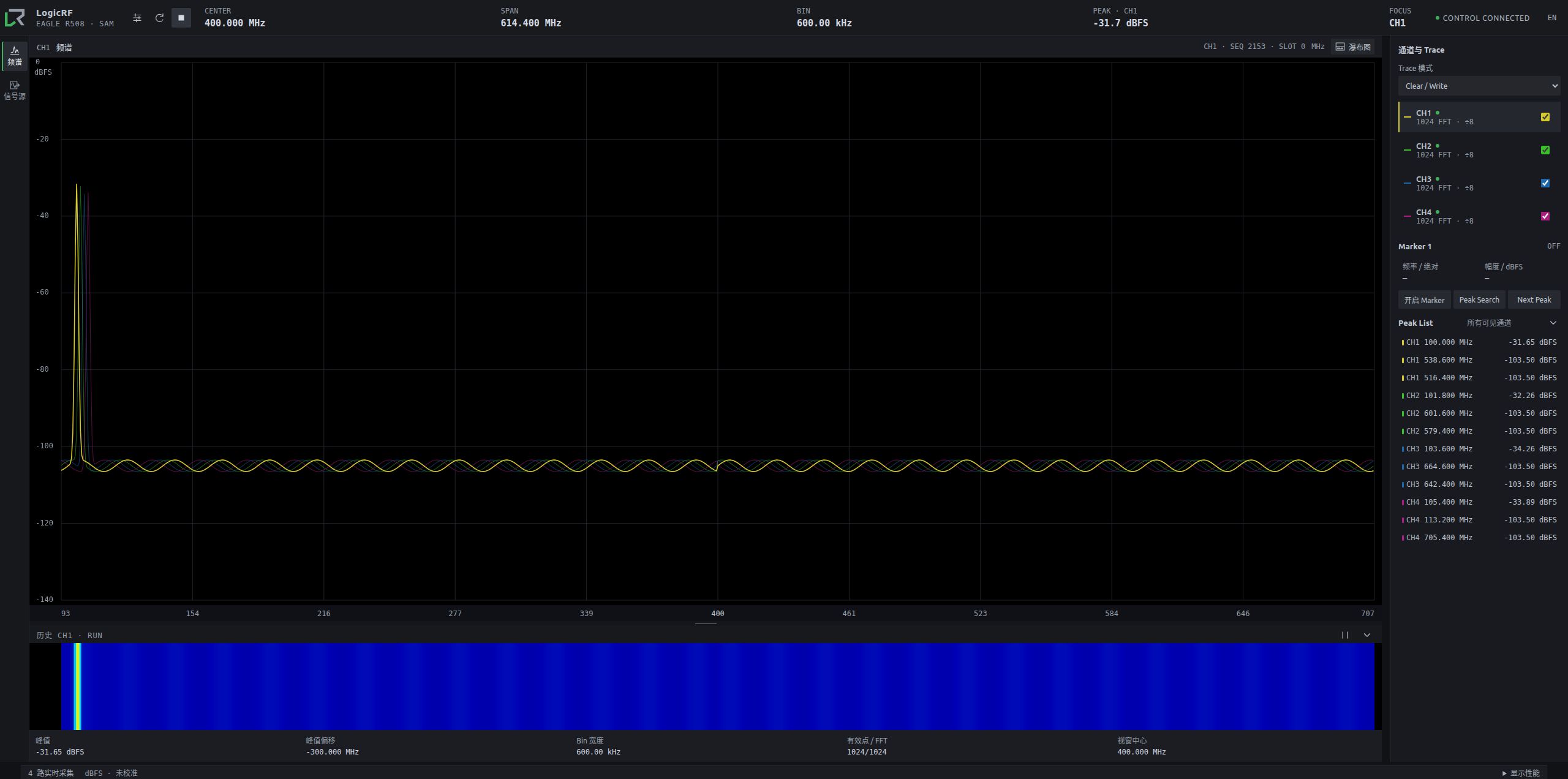
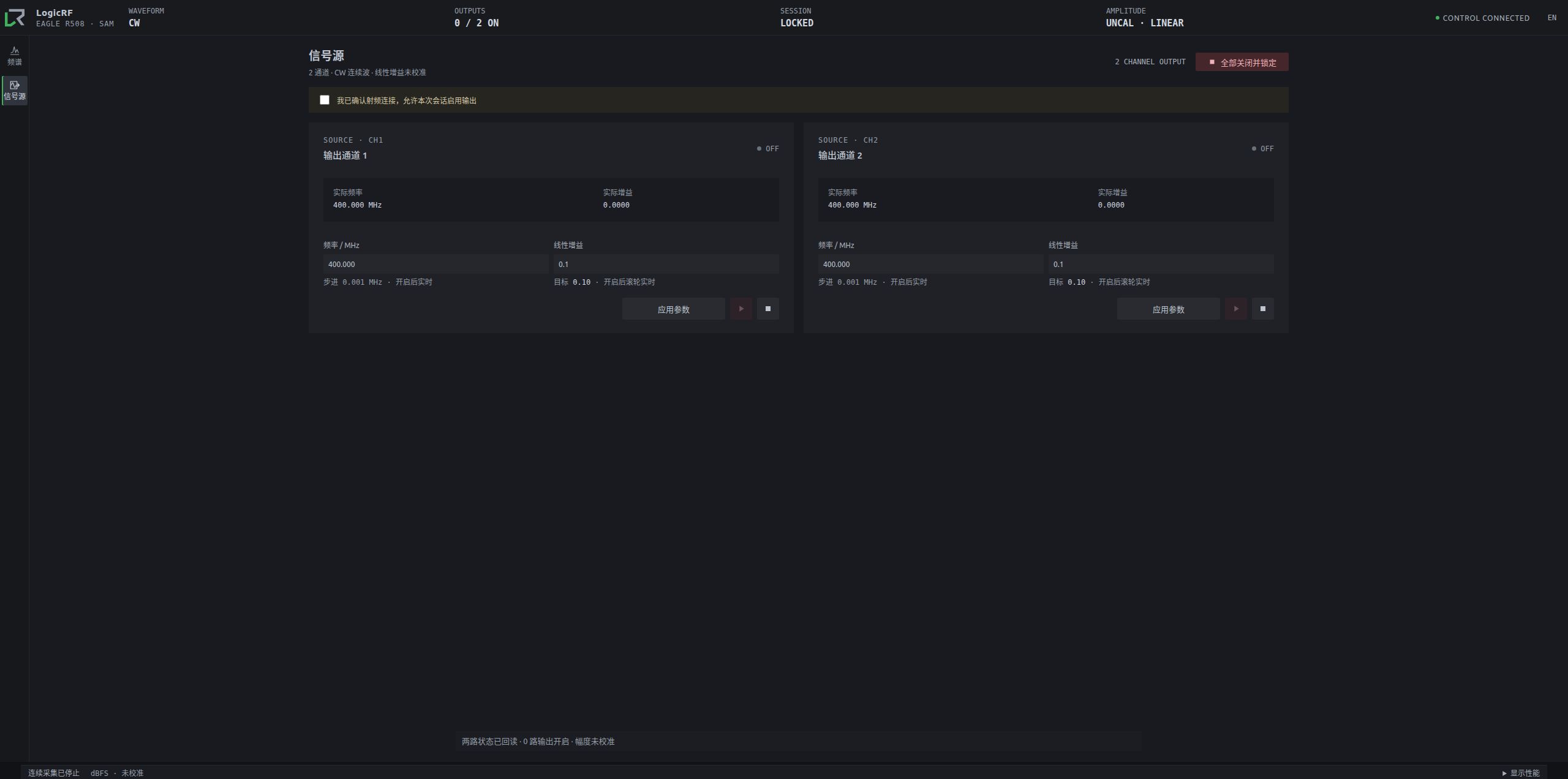
See the SAM instrument manual for each control. After switching back to STREAM, verify that the DAQ contract matches it.
¶ Choose the next action
| Current situation | Next step |
|---|---|
| Only PYNQ on a new device/card | Follow new-device deployment and obtain complete delivery materials; a base image is not full provisioning |
| Host is unprepared | Follow server deployment: programs on system disk, captures on dedicated storage |
| Signed in but cannot find a feature | Distinguish the three Web entries above |
| A filled form will not start | Check App, capabilities, stopped state and API guide |
| A file exists but validation is unclear | Use capture/data checks, including valid range, protocol and final task state |