¶ ADI IIO Oscilloscope
Connect directly over Gigabit Ethernet using the H102 IP; no device Linux username or password is required. The checked combination is Kuiper 1.2.1, Linux x86_64 and ADI IIO Oscilloscope v0.18-main, covering ADRV9002 controls, dual I/Q time plots, individual RX1/RX2 complex FFT, stop and reconnect. This application does not use the custom FT601 USB data path.
¶ Prepare and connect
- In H102 IIO GUI, select 4MSPS/2MHz and verify actual rate, bandwidth and carrier. Stop, disconnect and close H102 GUI/GNU Radio and other device applications. ADI directly controls IIO and must have exclusive use of the device.
- Download
osc-linux-x86_64-710df32.zipfrom the official ADI v0.18-main release. The ZIP is 81,668,531 bytes, SHA-256b9f1bb561bfcab3c16a2d8d4c1e06c5f2ac94608771a76acf906467549ca841b. Extract to a separate directory, then run its AppImage with./actual-filename.AppImage --appimage-extractto obtainsquashfs-root. - The command below preserves the official binary, passes the target explicitly and skips automatic loading of an old saved session. Replace the extracted directory and example IP. This release's AppRun wrapper drops command-line arguments;
AppRun -u ...does not reliably select the requested device.
Linux PC · Use the connected device’s actual IP or URI and your local installation paths.
# Run inside a subshell so the ADI environment does not change other applications.
(
  export APPDIR="$(realpath /path/to/squashfs-root)"
  H102_IP=192.168.1.100
  source "$APPDIR/apprun-hooks/linuxdeploy-plugin-gtk.sh"
  export LD_LIBRARY_PATH="$APPDIR/usr/lib${LD_LIBRARY_PATH:+:$LD_LIBRARY_PATH}"
  cd "$APPDIR/usr/bin"
  exec "$APPDIR/usr/bin/osc" -p - -u "ip:$H102_IP"
)
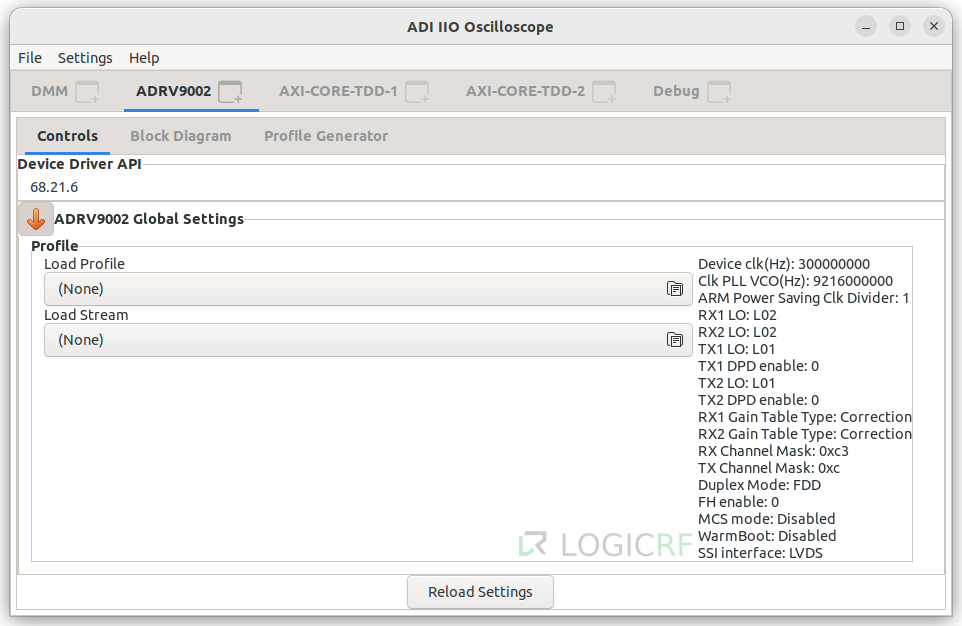
Open ADRV9002 → Controls and check Device Driver API 68.21.6 and the receive/transmit chain sections. Do not use Profile Generator or arbitrary Load Profile/Load Stream files to switch H102 configurations. Follow profile generation for matching additional profiles.
¶ Disable DDS before receive-only use
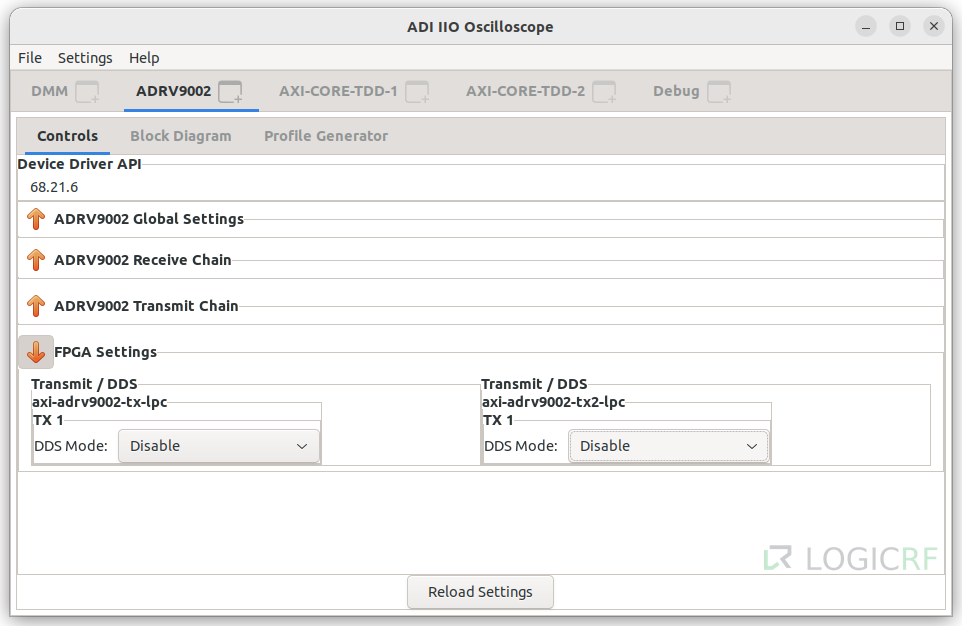
Opening this ADRV9002 plugin enables DDS digital sources. Under FPGA Settings, set DDS Mode to Disable in both axi-adrv9002-tx-lpc and axi-adrv9002-tx2-lpc panels. Keep TX off before reception. DAC Buffer Output is not Disable. Closing a window does not undo RF settings already changed.
¶ Time plots, FFT and tuning
| Task | Operation |
|---|---|
| Dual I/Q time plot | Create a Capture; expand axi-adrv9002-rx-lpc and axi-adrv9002-rx2-lpc in Plot Channels; check each device's voltage0_i and voltage0_q; select Time Domain, 4096 Samples and start |
| RX1 complex FFT | Stop; select Frequency Domain and the RX1 device; check both I and Q on that device; choose FFT 16384 and Hanning, then start |
| RX2 complex FFT | Stop; select RX2 and verify that both of its I/Q boxes are checked; scroll the channel list if Q is hidden |
| Carrier and gain | Stop; adjust LO or hardware gain under ADRV9002 Receive Chain, verify actual readback and resume; RX1/RX2 tune together in a shared-LO profile |
One FFT plot selects one RX IIO device in this version; a time plot can show both. Complex I/Q at 4 MSPS has an offset axis of approximately −2 to +2 MHz. Selecting I alone produces a real-input spectrum and does not check Q. Plot amplitude is not calibrated absolute RF input power or receiver sensitivity.
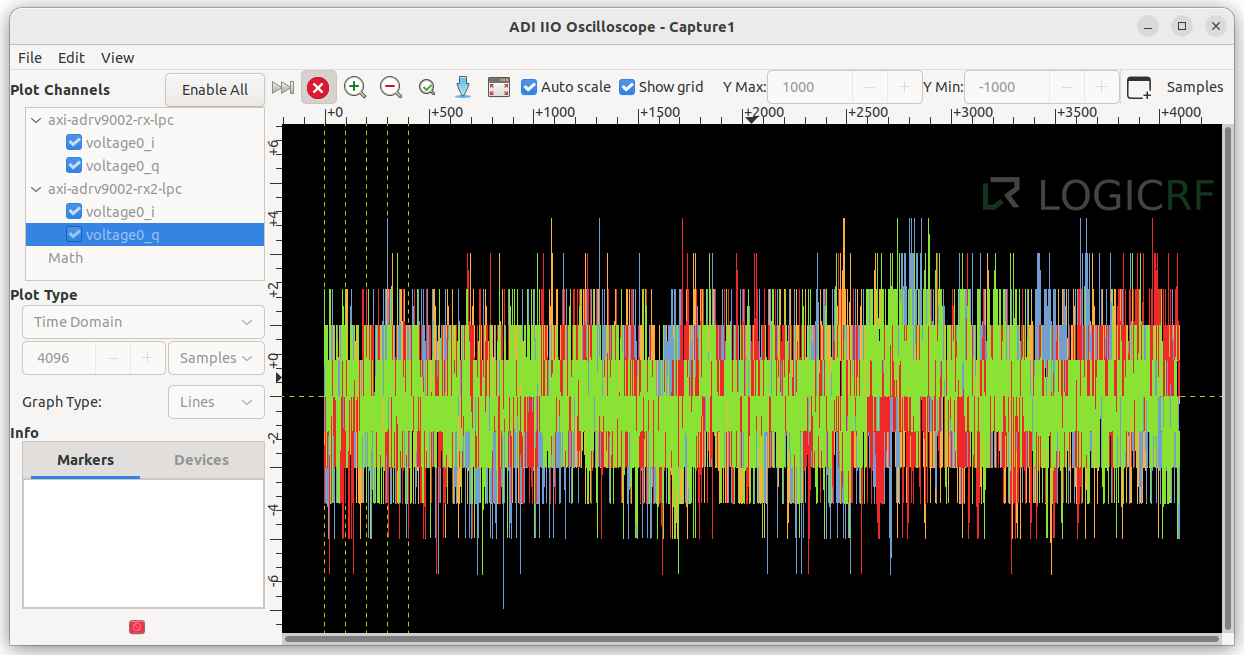
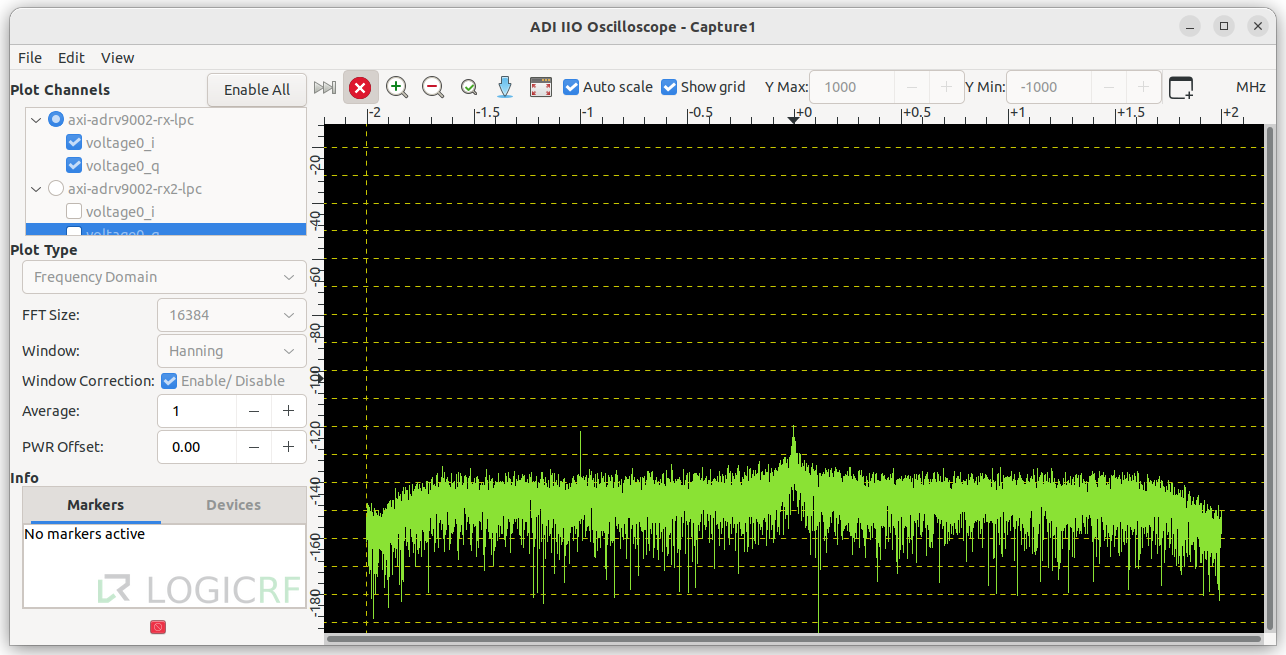
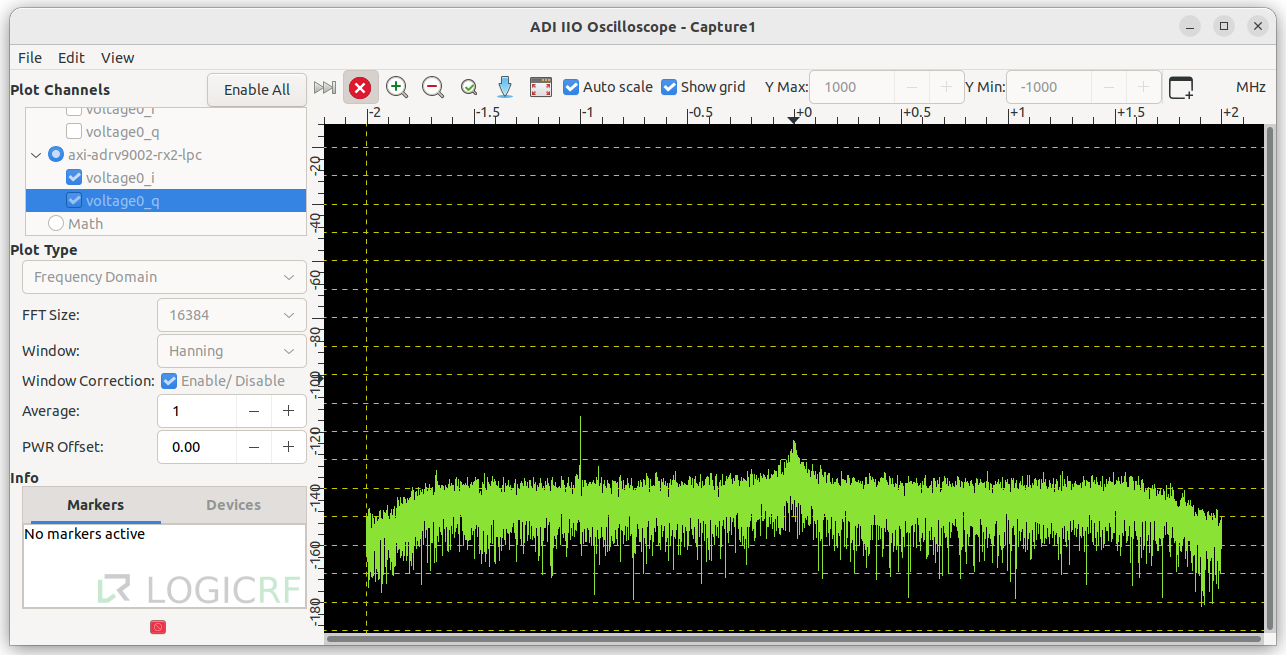
These are native-window captures from actual hardware, illustrating controls and data paths; they do not establish calibrated RF specifications.